 Venus AI
Meet Venus, the AI that lives on your desktop.
Talk to her, show her your screen, ask her to make a picture or a document, or control your PC from your phone. Venus sets up in a couple of minutes, and no technical knowledge is needed.
Free download, about 10 MB. Windows 10 and 11, 64-bit. You bring your own AI key, or use free local AI.
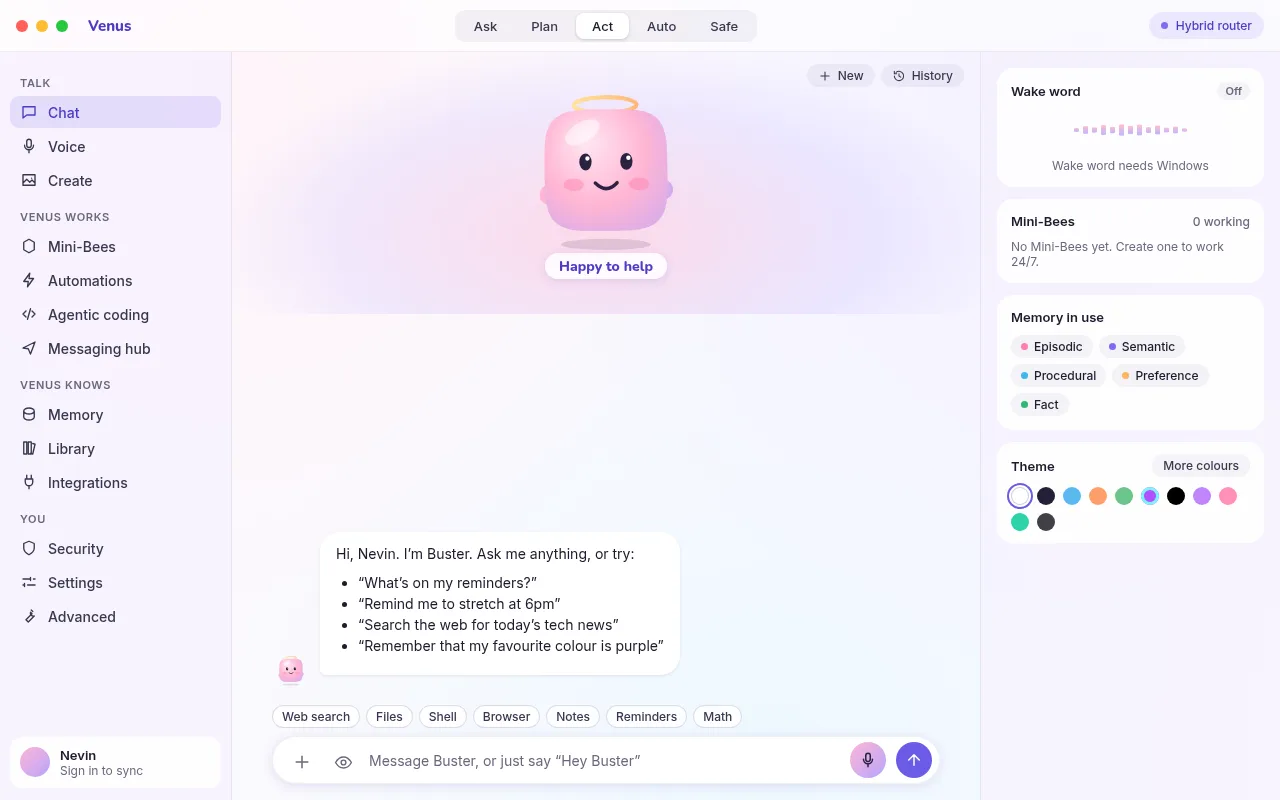
Everything you would want from an assistant
The everyday features are easy to find. The technical settings are tucked away on an Advanced page for anyone who wants them.
Chat with any AI
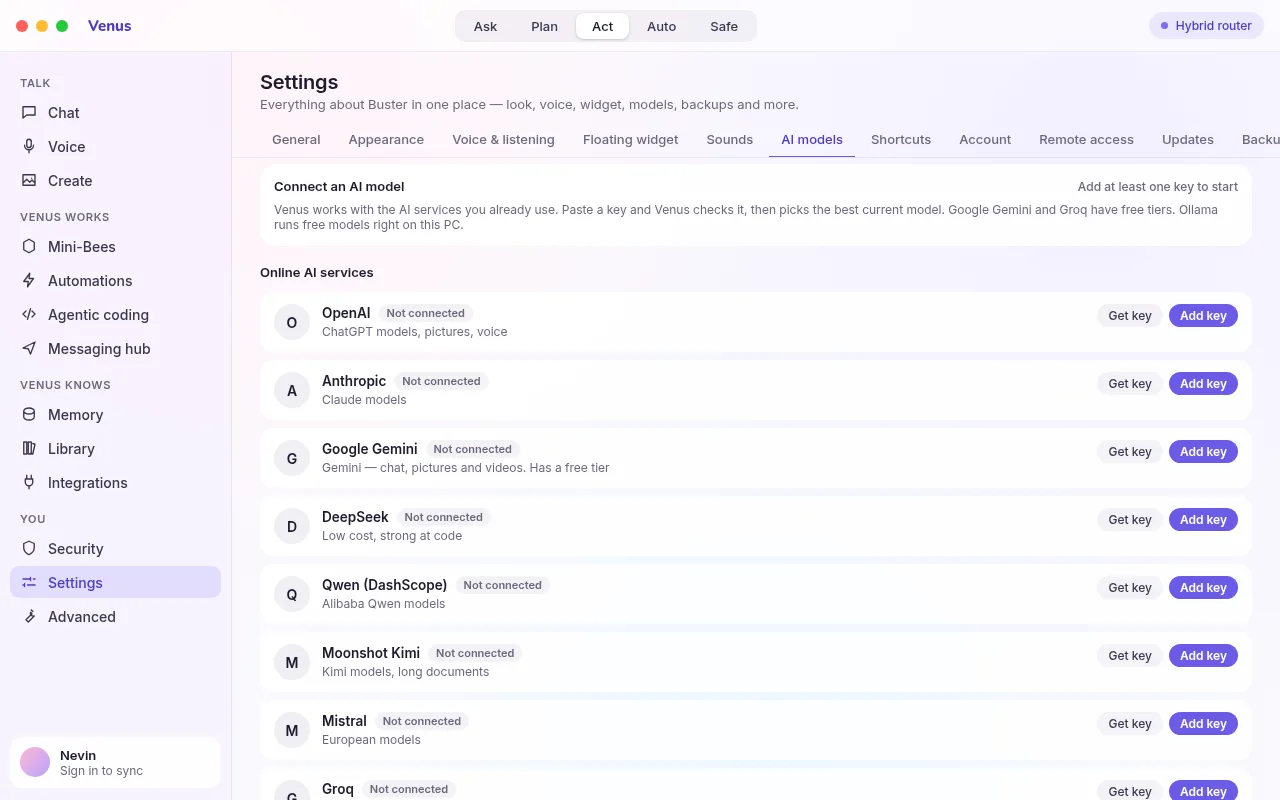
OpenAI, Claude, Gemini, Groq, OpenRouter, DeepSeek, Mistral and free local Ollama models. Venus picks the best model she can use.
Talks and listens
Say "Hey Venus", "Okay Venus" or just "Venus". She cuts out background noise, waits until you finish, and lets you interrupt her.
Looks at your screen
Ask "What is on my screen?" and Venus explains what she sees. She can click and type for you, but only after you say yes.
Pictures, videos and documents
Describe it and Venus makes it: photos, short videos, Word documents, PDFs and web pages.
Control from your phone
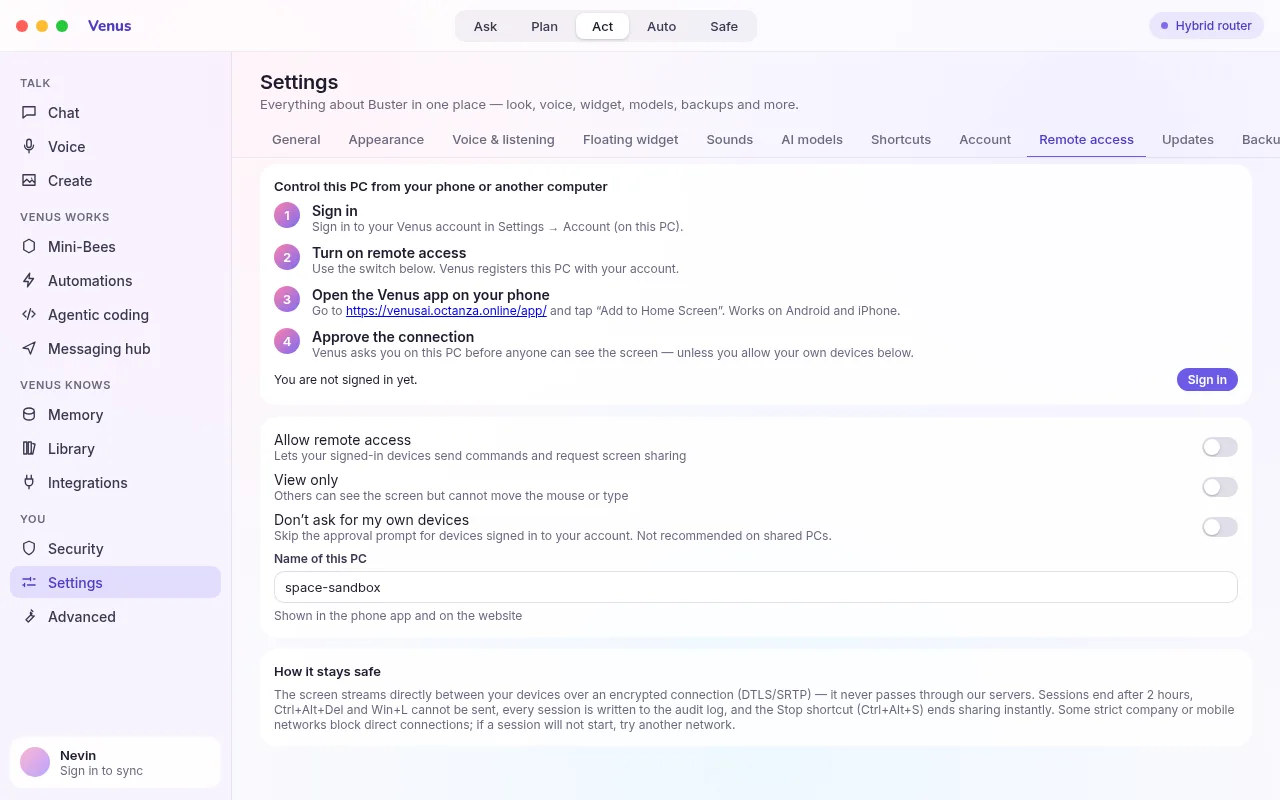
See your PC screen and control it from your phone or another computer, through the Venus Remote web app.
Automations
Reminders, daily briefings and routines that run on their own. Connect WhatsApp, Telegram, Gmail and more.
Your colours
Eleven themes, plus any gradient or solid colour you like. Includes pure black themes with your choice of accent.
Shortcuts
Open Venus, talk, look at your screen or stop her with one key press. Change any shortcut you like.
Safe by design
Your keys are encrypted on your PC. Risky actions need your approval. Every update is digitally signed.
Up and running in three steps
Download and run the installer
The setup wizard installs everything Venus needs, including Microsoft WebView2, and shows a short tour while it works.
Add an AI key, or pick free local AI
Paste a key from OpenAI, Gemini, Claude or another provider. Venus checks it and chooses a good model for you.
Say "Hey Venus"
Ask a question, ask her to open an app, make a picture or look at your screen.
Your PC, from your phone
Open venusai.nezilio.com/app on Android or iPhone, sign in, and see your PC screen live. Tap to click, type, scroll, change the volume or lock the PC.
- The PC asks before anyone takes control, unless you choose otherwise
- A live connection between your devices, with the picture sent directly from your PC
- A view-only mode for when you just want to watch
Ready to meet Venus?
Download the free installer. She will guide you through the rest.