Venus AI
What Venus can do
More than 300 features, grouped so you can find them easily. Everything technical lives on the Advanced page in the app.
Talk and listen
- Wake with "Venus", "Hey Venus", "Okay Venus", "Hi Venus", "Hello Venus", "Good morning Venus" and more
- Background noise isolation, with filters that adapt to your room
- Natural interruptions: talk over her and she stops to listen
- Natural voices, including ElevenLabs and voices you design yourself
- Speaks with feeling, because emotions are detected automatically
- Push-to-talk shortcut (Ctrl+Alt+Space)
Chat and think
- Works with OpenAI, Anthropic Claude, Google Gemini, Groq, OpenRouter, DeepSeek, Mistral, Qwen, Moonshot and Ollama
- Picks a model for you, and switches if one stops working
- Memory: Venus remembers what you tell her to remember
- Web search with sources
- Modes for focus, study, coding, writing and more
- Library for your files and notes
See and do
- Look at my screen: one click or Ctrl+Alt+L
- Look at my camera: ask her what she sees and she explains it, then gives real-time steps
- Screen control: click, type and scroll, always with your approval
- Opens apps, files and websites
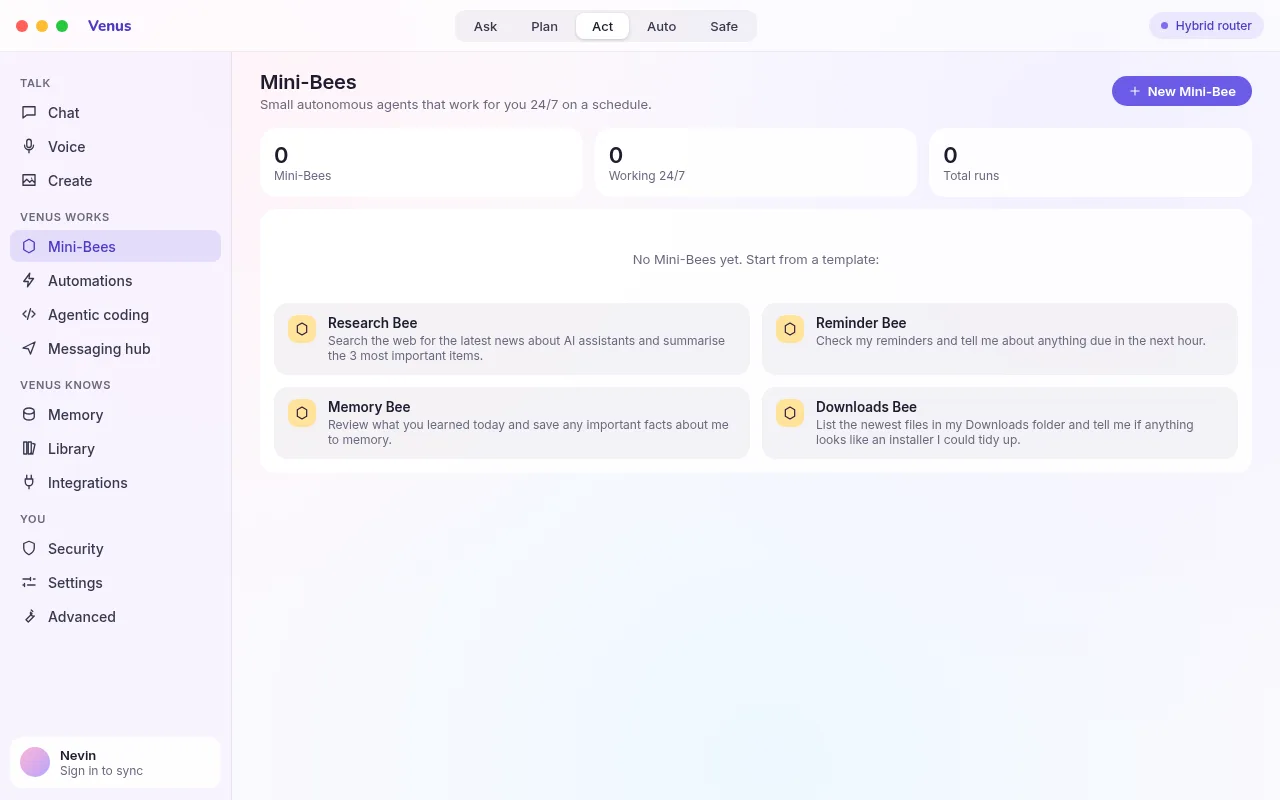
- Mini-Bees: small helpers that do tasks in the background
- A floating widget that stays on top of other windows
- Tools that need your approval before anything risky
Finger drag
- Control the real mouse with your hand, anywhere in Windows
- Point to move, pinch to click, pinch and hold to drag a window
- Two fingers scroll; open palm or fist pauses tracking
- Smoothing that stays quick on fast moves and steady on slow ones
- The hand model runs on your PC, with no video uploaded
- A status pill shows the gesture; turn it off from the pill or Settings
- Blocked while Venus is locked, and the camera is released when you stop
Create
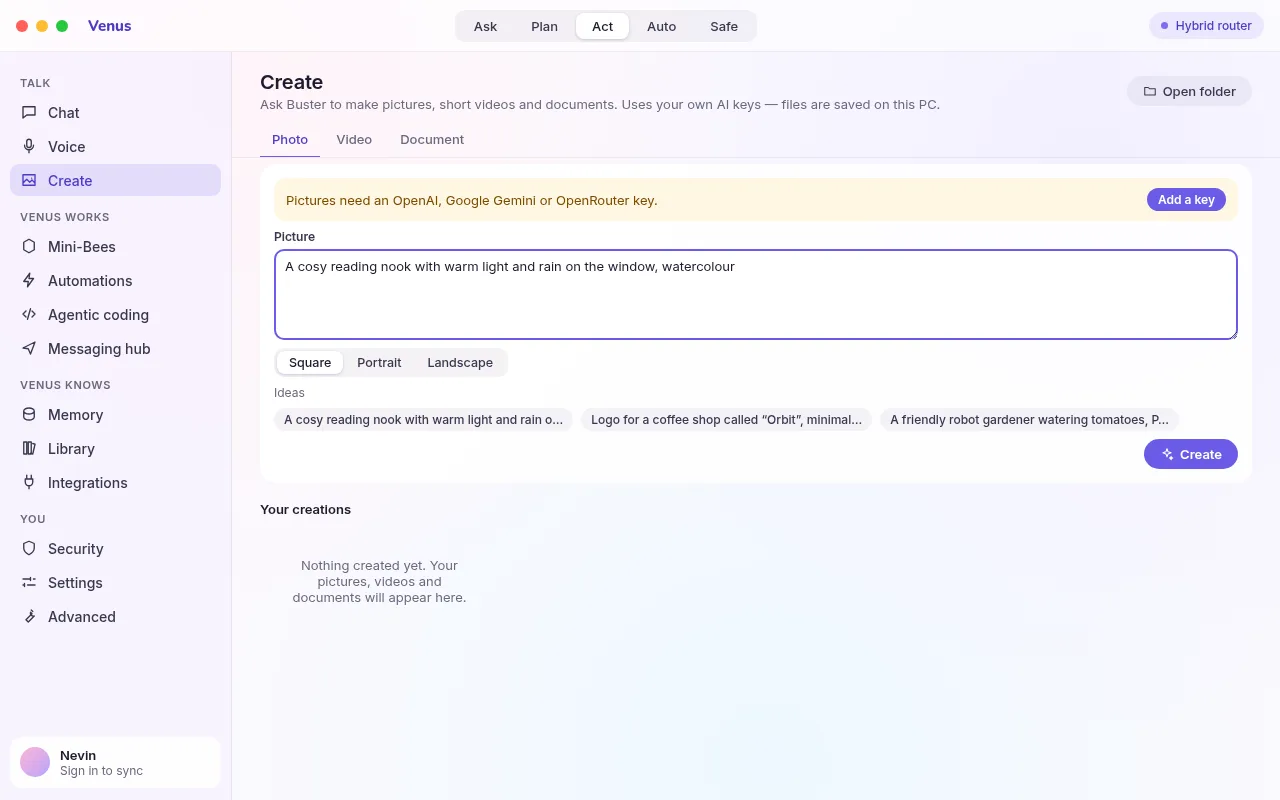
- Photos and illustrations (OpenAI, Gemini, OpenRouter)
- Short videos (Gemini)
- Documents: Word (.docx), PDF and web pages
- A gallery that keeps everything you have made
- Ideas to get you started
- Open, save or share any creation in one click
Connect and automate
- WhatsApp and Telegram messaging hub
- Gmail, Calendar and other integrations
- Automations: reminders, briefings and routines
- Google sign-in
- Backup and restore
- Sync between devices when you sign in
Remote and phone
- See and control your PC from any browser
- Phone app for Android and iPhone (install from the browser)
- Quick commands: lock, mute, volume, media, open a link, screenshot
- Send Venus a message from your phone
- View-only mode
- Approve every session on the PC
Make it yours
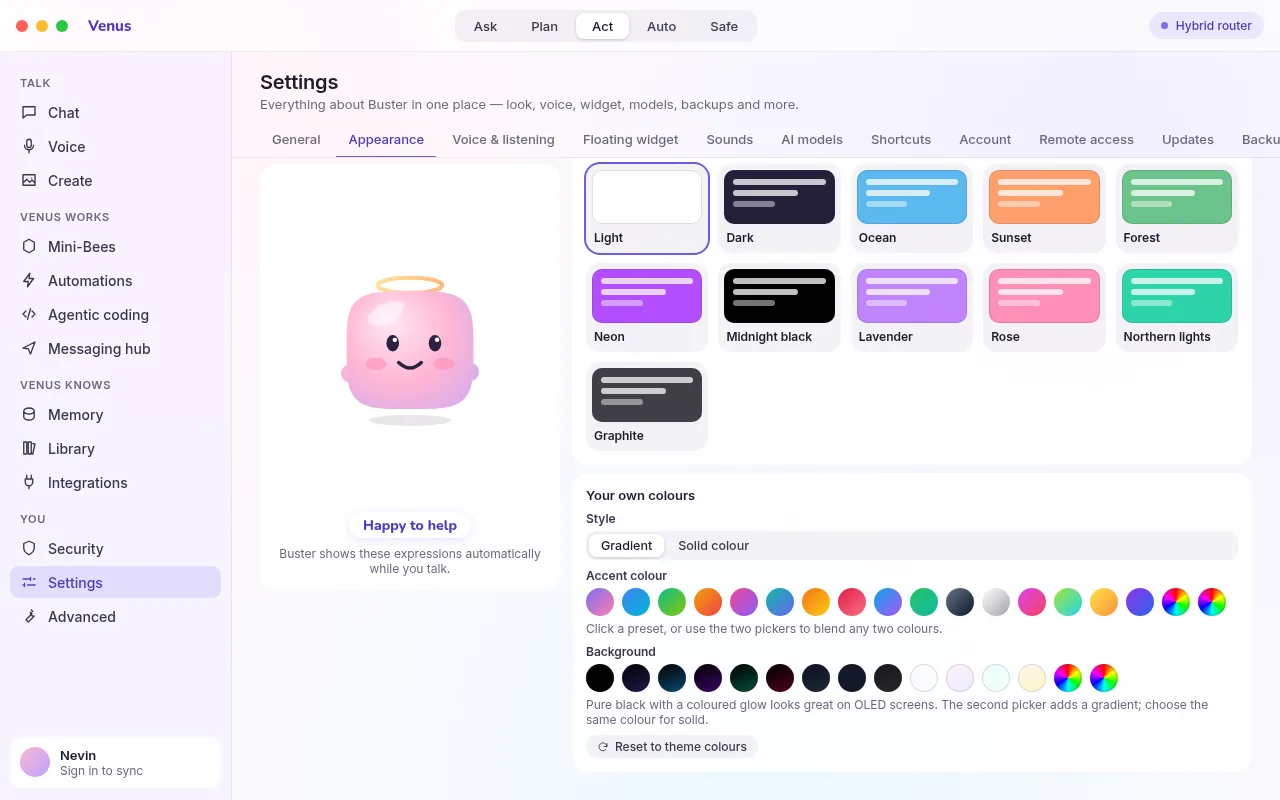
- 11 themes: Light, Dark, Ocean, Sunset, Forest, Neon, Midnight black, Lavender, Rose, Northern lights and Graphite
- Custom accent: any gradient or solid colour
- Custom background: dark, black or light, as a gradient or solid
- Customise the Buster character: colour, shape and outfit
- Keyboard shortcuts you can change
- Sounds and widget options
Safe and private
- API keys encrypted with Windows DPAPI
- Approvals for risky actions and an audit log
- Self-healing: Venus fixes common problems on her own
- Digitally signed updates that Venus checks before installing
- Cloud features are opt-in, and you choose what is shared
- Delete your account and data at any time
Show Venus what you are looking at
Press the camera button in the chat box, or just ask: "Look at my camera and tell me what you see." Venus takes one picture, looks at it, and answers with what she sees plus short, practical steps.
- Identify an object, a plant, a label, a broken part or a warning light
- Get real-time instructions: "the cable goes in the port on the left"
- Turn on Live camera in the chat box to have her look every few seconds until you stop
- Ask by voice with Ctrl+Alt+Space: "Venus, what is this?"
- The camera light goes out the moment a one-off look is done, and frames are never saved
Camera privacy
- Only the frame you ask about is sent, to the AI provider you chose
- No recording, no gallery, no upload to us
- Live camera stops when you close the chat or press Stop
- Finger drag and Live camera share the camera safely; closing one does not break the other
- An audit entry records that you asked, never the picture
Use your hand instead of the mouse
Turn on Settings, then Finger drag. Hold your hand about half a metre from the webcam, palm facing it. A small pill shows what Venus sees.
Point to move
Hold up one finger and move it; the real Windows cursor follows, smoothly, across every screen.
Pinch to click and drag
Touch thumb and index together to press. Keep pinching and move to drag a window or select text; let go to drop.
Two fingers to scroll
Hold up index and middle finger and move your hand up or down.
Palm or fist to pause
Open your hand or make a fist to pause, so you can reposition. Show a pointing finger to take control again.
Finger drag behaviour
- Runs on your PC with a bundled offline hand model; no video leaves the computer
- Smoothing adapts to speed: quick on big moves, steady for small targets
- Pinch clicks never repeat or flicker, thanks to hysteresis and a short debounce
- If your hand leaves the frame, a held drag is released after a moment
- Turning it on needs the setting; it stops automatically if Venus locks
- The camera switches off when finger drag stops
Make pictures, videos and documents
Choose Photo, Video or Document, describe what you want, and Venus does the rest. Your creations are kept in a gallery.
Your colours, your way
Choose a theme, or pick your own accent and background. Pure black is included, with any gradient or solid colour on top.
Little helpers, working in the background
Give a Mini-Bee a job, like "summarise these files". It works quietly and reports back.